Mobile apps
Mobile App Development Best Practices: Build Smarter, Launch Better

Mobile app development requires more than just code. You need clear goals, user-focused design, a solid architecture, and ongoing updates. This guide walks you through each step—from planning your app to launching it on Google Play or the App Store. You’ll learn how to improve user experience, choose the right development platforms, build secure backends, test early, and keep users engaged with real-time features and push notifications.
1. Clarify Your Goal and Audience
| Persona | Age | Goals | Frustrations |
|---|---|---|---|
| College Student | 20 | Track daily expenses on mobile | Complex menus, data storage caps |
| Busy Professional | 35 | Get quick budget alerts via push notifications | Slow load times, confusing UI |
| Small Business Owner | 42 | Manage invoices and payments on the go | Lack of real-time updates |
- Problem: What issue does your app fix?
- Solution: How does it help users on mobile devices?
- Success: Will you track installs, daily active users, or revenue?
- Note each app’s top features and pricing model.
- Read complaints to spot unmet needs.
- Observe common layouts, icons, and flows.
- Look at web browser and cloud-based tools for fresh ideas.
- Discovery: How do they find your app on Google Play or the App Store?
- Onboarding: What screens guide them to set up quickly?
- Core Flow: Which tasks do they complete most often?
- Retention: What triggers (push notifications, email) bring them back?
2. Choose the Right Development Platform
| Approach | Pros | Cons |
|---|---|---|
| Native apps | Fast, direct hardware access | Two codebases (iOS app & Android) |
| Cross platform apps | Single codebase, faster build | Larger binary size, some edge cases |
| Progressive Web Apps | No app-store review, works in web browser | Limited offline, fewer device APIs |
- Native development (Swift for iOS, Kotlin for Android) excels in performance and hardware features.
- Cross-platform development (Flutter, React Native) uses one programming language and a single codebase to build both native apps.
- PWA run in any modern browser but may lack push notifications and deep device integrations.
- Flutter: Uses Dart, compiles to native code, offers hot-reload.
- React Native: Leverages JavaScript taps into a vast ecosystem.
3. Design for an Engaging User Experience
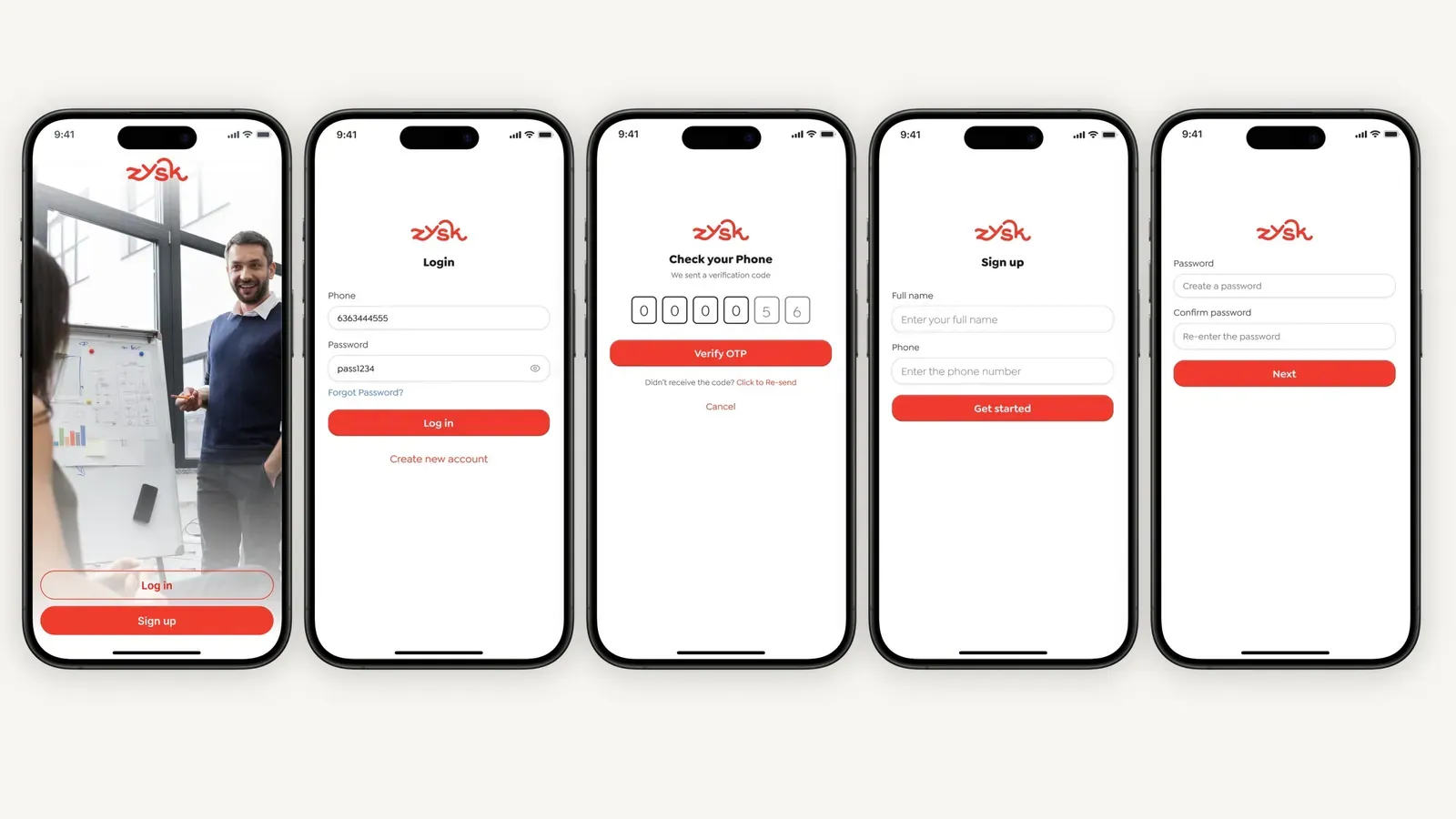
A smooth user interface and intuitive flow make your app stand out.
3.1 Follow Platform Conventions
- IOS apps: Use Apple’s Human Interface Guidelines for layout, typography, and gestures.
- Android apps: Follow Google’s Material Design patterns for colors, motion, and components.
Users feel at home when your interface behaves like their device’s native apps.
3.2 Wireframe and Prototype
- Sketch layouts in grayscale with basic blocks.
- Link screens in Figma, Sketch, or Adobe XD for click through demos.
- Run brief sessions to capture feedback on flow and design
Early prototyping highlights usability issues before you start coding.
3.3 Build Responsive Layouts
- Use fluid grids and relative units (dp, pt) to adapt to all screen sizes.
- Test on a range of mobile devices, from small phones to large tablets.
- Check both portrait and landscape orientations.
3.4 Prioritize Accessibility
- Screen readers: Ensure support for VoiceOver (iOS) and TalkBack (Android).
- Text scaling: Allow users to increase font size without breaking layout.
- Color contrast: Maintain at least 4.5:1 contrast for readability.
- Touch targets: Size buttons at least 44×44 px for easy tapping.
Accessibility features not only help users with disabilities but also improve overall user experience.
4. Architect for Scale and Security
- UI components and user interface logic.
- Business rules and use cases.
- API calls, data storage, and network logic.
- Local Caching: Use Room (Android) or CoreData (iOS) for on-device data storage.
- Sync Logic: Queue local changes and push updates to your cloud-based server when the network returns.
- HTTPS/TLS: Enforce secure communication for all API requests.
- Key Storage: Store secrets in Keychain (iOS) or Keystore (Android).
- No Hard-Coding: Never embed API keys or passwords in your code.
- Analytics: Integrate Google Analytics or Mixpanel to track user behavior.
- Crash Reporting: Use Firebase Crashlytics or Sentry to capture errors and logs in real time.
5. Test Early and Often
| Type Test | Focus | Tools/Framework |
|---|---|---|
| Unit Tests | Individual functions and classes | JUnit, XCTest |
| Integration | Module interactions | Espresso, XCTest UI |
| UI Tests | Full user scenarios | Appium, Detox |
- TestFlight (iOS) and Firebase App Distribution (Android) let you share pre-release builds.
- Collect feedback on usability, speed, and stability from real users.
6. Launch, Learn, and Iterate
- Title & Keyword: Include terms like “mobile application development” and “user experience.”
- Description: Use concise, benefit-focused copy with keywords like “cross platform apps,” “native apps,” and “push notifications.”
- Visuals: Add high-quality screenshots and a short preview video.
- Release Cycle: Aim for monthly feature releases and security patches.
- User Feedback: Use in-app surveys and analytics to guide your road map.
- Push Notifications: Remind users of new content or features to drive re-engagement.
7. Add Advanced Features
Enhance engagement with real-time and cloud-based capabilities.
7.1 Real-Time Data and Push Notifications
- WebSockets or Firebase Realtime Database deliver instant updates.
- Configure push notifications for alerts, reminders, and promotions.
Real-time features boost retention and encourage active use.
7.2 Cloud-Based Backends
- Use AWS Lambda, Google Cloud Functions, or Azure Functions for serverless logic.
- Store media files in S3, Firebase Storage, or Azure Blob Storage.
- Auto-scale resources to handle traffic spikes without manual intervention.
A cloud-based backend reduces infrastructure costs and simplifies scalability.
8. Manage Data Storage and Codebase
- Key-Value Stores: Shared Preferences (Android), User Defaults (iOS) for small data.
- SQL Databases: Room, SQLite, or Realm for structured data.
- Cloud Sync: Firestore or REST APIs for shared data across devices.
- Reuse Logic: Write UI components and business logic once.
- Faster Fixes: Apply patches in one place, deploy everywhere.
- Shared Tests: Run the same unit and integration tests across platforms.
9. Choose the Right Programming Language
The programming language you pick affects your team’s productivity and app performance.
- Swift for modern iOS app development.
- Kotlin for concise, safe Android code.
- Dart if you choose Flutter for cross platform development.
- JavaScript/TypeScript for React Native or PWAs.
Pick a language that matches your team’s skills and your chosen development platform.
10. Ensure SEO and Analytics Integration
Even mobile apps benefit from SEO and analytics best practices.
- Deep Links: Use URL schemes or App Links to open specific screens.
- Web Content: If you host a web view, optimize pages with meta tags and keywords like “user experience” and “development requires minimal setup.”
- Analytics Events: Track screen views, button taps, and conversion events to measure success.
Analytics data helps you refine features and improve user experience over time.
Conclusion
- Define your vision and audience.
- Choose the right technology.
- Design for simplicity and accessibility.
- Build secure, scalable backends.
- Test at every stage.
- Launch with strong ASO and iterate based on real data.
- Enhance your app with real-time, cloud-based features.
- Maintain a clean codebase and data strategy.